Group medicines into understandable rounds showing the medicine, dose and intended time.
Medication support after hospital discharge
Have you recently been discharged from hospital with new medications?
New medicines, changed doses and unfamiliar times can make the first days at home confusing. MediMAR is designed to help you organise the instructions you were given, receive reminders and keep a clear personal record.
See how MediMAR can help →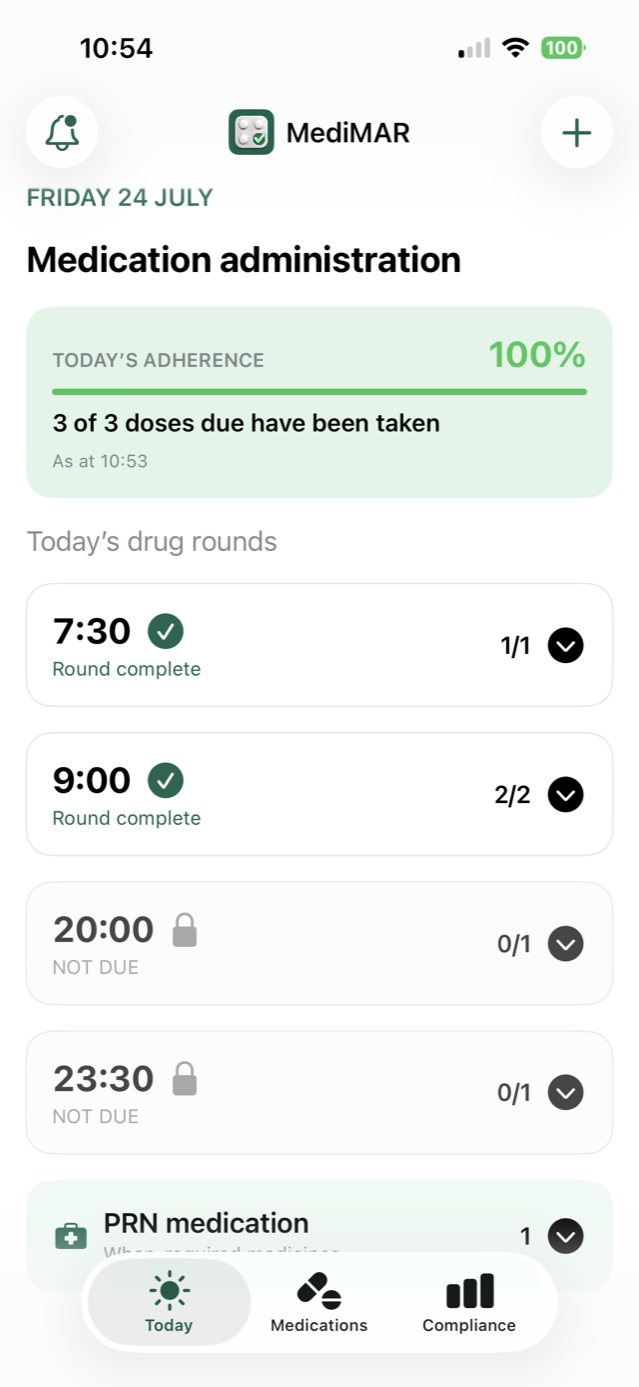
Written and last reviewed by John Rowley, Founder of MediMAR LtdSources linked alongside the relevant claims
29%of older adults in a UK study were non-adherent after hospital discharge.
The study followed older adults for eight weeks after discharge. Medication-related harm—not solely non-adherence—was associated with 78 readmissions per 1,000 discharges. These figures describe the study population and are not a claim that MediMAR prevents readmission. Read the study →
Why routines become difficult
Not taking a medicine as intended is not always a simple choice.
People may miss, delay or stop a medicine because the new instructions are unclear, the routine has changed, several medicines are due at different times, side effects are worrying or they simply lose track during recovery.
When important medicines are not taken as intended, the condition being treated may become less controlled. Medication-related problems can lead to additional healthcare appointments, emergency treatment or readmission—but the circumstances and risks differ for every medicine and every person.
Never guess when something does not match
If a medicine label, discharge summary or previous routine appears inconsistent, contact your hospital team, GP or pharmacist before taking it. MediMAR does not decide which instruction is correct.
How MediMAR can help
Turn written instructions into a routine you can follow.
Choose a standard notification or a more prominent alarm for scheduled medicines.
Keep an optional picture of the supplied packaging beside the medicine entry as a visual prompt.
Record what was taken, the actual time and the outcome instead of assuming every reminder led to a dose.
Create a 28-day record from the administration information you chose to enter.
No MediMAR account is required; the current medication record stays on your phone.
Getting started safely
Use the medicines and information supplied at discharge.
- Gather everything together.Use the current pharmacy-labelled packs and final discharge medication information.
- Enter one medicine at a time.Copy the name, strength, form, dose, timing and instructions carefully.
- Ask someone you trust to help.A relative can assist with setup and check each entry with you.
- Resolve uncertainties professionally.Contact the hospital team, GP or pharmacist if anything is unclear or contradictory.
Before you use MediMAR after discharge
Can MediMAR tell me what medicines I should take?
No. Enter medicines only from the pharmacy labels and discharge information supplied by your healthcare team. MediMAR helps organise and record that information; it does not prescribe or verify a clinical regimen.
Can a relative help me set up MediMAR?
Yes. A relative can help you enter the information if you choose, but every entry should still be checked against the medicine label and your discharge information.
What if the label and discharge information do not match?
Do not guess. Contact the hospital team, your GP or a pharmacist for clarification before taking the medicine.
Does MediMAR send my medication record to the hospital?
No. The current app does not connect to hospital, GP or pharmacy systems. Your medication information remains in protected storage on your phone unless you choose to export a report or encrypted backup.
iPhone and Android
Keep me informed →A clearer routine for your new medicines.
MediMAR is available on the App Store for iPhone and Google Play for Android.

Work in a hospital or discharge service? See the professional resource and printable patient flyer →